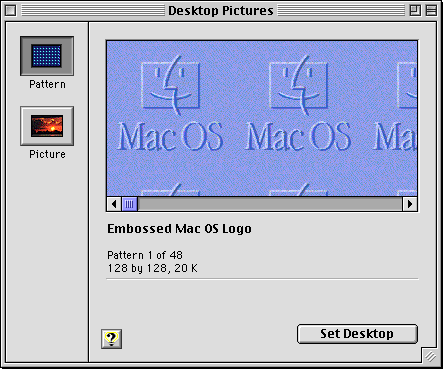
It also - as seen in that screenshot, had large, always visible scrollbars where it was easy to see how far down you were in a folder or document, and could easily click and drag to scroll to where you needed. Now in the service of minimalism we have scrollbars that consist of a thin, semi-transparent line that fades out after half a second and is nearly impossible to click and drag due to how small it is.
The scrollbar thing is a more widespread mess. I've seen plenty of apps (cross platform) which hide the scrollbar as a tiny grey bar only visible when scrolling. Which on some TN panels is neigh invisible... If I can't see the scrollbar there is no additional stuff to read. I'm now pretty sure this is apple's bad design leaking though to the rest of the world.
Apple scrollbars have never looked uglier. I would prefer them to always show but they're so ugly I keep it default. On Aqua they looked great! On Windows they're still great!
> Now in the service of minimalism we have scrollbars that consist of a thin, semi-transparent line that fades out after half a second and is nearly impossible to click and drag due to how small it is.
You can make them always on still. I've done so ever since their disappearing act started. It's not even much hidden, it's in the "Appearance" setting pane.
They're still too small and too light. Some times when a document is big enough I'm actually not able to find the scroll thumb on macOS Sequoia. Some times wiggling the scroll thumb around by scrolling slightly back and forth with my mousewheel/trackpad helps to make it visually appear, but other times I just have to give up.
Classic Macs were designed for the mouse or trackball. Modern Macs are designed for multitouch scrolling. When it's easy to get the scrolling infrastructure on demand, the desktop might not need the same click-first affordances.
You're missing the fact that the scrollbars also indicate where you are in their range, which is important regardless of how you do the scrolling itself.
I think their point also covers this - since it's so easy to scroll, you can always just do a little two finger scroll wiggle to have it appear and see where you are. And that's only if you haven't configured it to always display.
You don't even have to scroll. Placing two fingers on the pad makes the scrollbar appear immediately. I'm happy for each additional pixel of space on my screen, but I also think a scrollbar should be completely configurable userland behavior.
It should, unfortunately apple doesn't believe the same I suppose. I'm lucky enough that I'm happy with their defaults and don't spend much time thinking about tweaking stuff on my computers, but I can understand it being super frustrating if you're not okay with the available settings.
Yeah. Defaults should make the details of the system go out of the user's way, for >95% of the users, >95% of their time. The remaining <5% of users are power users and hackers, and the remaining <5% of usage are strong taste and individual hacks.
Based on some discussions of users that have already downloaded Tahoe, I was under the impression that this is no longer possible? Also, I think it’s not possible to have the scroll bar outside of the window instead of overlaying some content.
Traditionally the setting has moved the scroll bar outside of content. I can’t say for sure what they’ve done in Tahoe, but I’m not sure how else it would work—if the scroll bar is persistent it will persistently cover your content.
Many of the complains surrounding the former iOS7 and today's Liquid Glass are tied to the requirement of the interface never moving. Which isn't just an unreasonable requirement, but a ridiculous one.
Just like iOS7+ it is possible to position and layer interface elements in a way where the visual effects will render a screenshot difficult to read, but in practice the elements are frequently in motion or as you've already pointed out easy to make them move. That motion is what negates the layering problems, thus making visual occlusions rare, short-lived and easily resolved.
There is a certain unreasonableness in ignoring that reality, and also ignoring that there is a user setting to keep a full-sized version of the scroll bars always visible.
This isn't to take away from legitimate criticisms such as the issue with the resize hotbox not being updated to match the more rounded corners, but rather highlight that not all online forum criticisms comes from a bona fide place.
> since it's so easy to scroll, you can always just do a little two finger scroll wiggle to have it appear
That changes the effort required to show useful information from zero to more than zero. Which, while it not be a great quantitative change, is an enormous qualitative change.
Like Chesterton's Fence, it was there for a reason.
"At last (and at least) we have reclaimed that narrow vertical strip of screen real estate on the screens eastern-most vestige! Now to find a good use for it!"
The true annoyance is that in many cases explicitly enabling them does not restore the original functionality.
There is an imbalance between the harms you're pretending to endure versus:
1. The trivial ability it is to resolve, and
2. The existence of an easily accessible user setting to enable the behaviour that you desire.
Fundamentally your complaint thus comes down to a gripe that the OS's defaults don't match your completely subjective idea of how just one of many OS elements should work.
Which raises such an interesting question, because of all of the UX behaviours present on macOS - this is your hill?
At last (and at least) we have reclaimed that narrow vertical strip of screen real estate on the screens eastern-most vestige! Now to find a good use for it!"
If one chooses "Always" under the "Show scroll bars" option on the Appearance System Settings panel. They will be rewarded with thick*, always-on scroll bars that do not disappear.
> Now in the service of minimalism we have scrollbars that consist of a thin, semi-transparent line that fades out after half a second and is nearly impossible to click and drag due to how small it is.
This is endemic now. Cinnamon does it by default and I hate it. I only managed a partial fix, and then I had to do more work per-app (especially Firefox) to make them behave.
In the Aqua image the big bright blue scrollbars stand out far, far more than the content. That sucks, honestly. So does the percentage of the screen dedicated to their presence.
Also, horizontal scrollbars suck. One thing later versions of Finder did well was adjust columns to minimize the presence of them.
We just don't need UI that big anymore. These days our cursors are much more accurate, from the magical Mac trackpad to high DPI optical mice, and we're 40+ years into GUIs so the limited number of people who opt-in to a full computing experience can already be expected to know the basics.
Yes Tahoe sucks, but going back to Aqua or classic MacOS would also suck, just in a different direction. If you actually spend time using classic MacOS and Aqua these days, man is it frustrating to get basic things done. Everything is so slow and you're constantly resizing windows to see whats in them. I own several Macs from the 80s-00s and they are really in need of many quality of life updates that later MacOS revs added. On a modern Mac, enabling 'show scrollbars' gets you to a pretty optimal Finder experience, minus all the stupid Mac bugs and Tahoe nonsense like this article points out.
Hard disagree with all of this. I feel like I am constantly lamenting the simplicity and usability of old scrollbars and cursing their will o the wisp modern implementations.
Scrollbars used to be invisible to me. They only bubbled up to my consciousness when I needed them, and then there was no friction in their use. Now I am having to think about them constantly. To me that is 'standing out'.
Very much agree. Nostalgia is a hell of a drug. Not saying GP's opinion was pure nostalgia, but a lot of people certainly selectively remember only the good parts as they complain about the now.
I actually don't think there's anything wrong with horizontal scrollbars, as long as you're using an input device (like an Apple trackpad) that makes it equally easy to scroll either axis.
>Note that downside: you could only resize from that bottom right corner, not from any other edge!
This was one of the worst things about MacOS and why they lost me as a user early on. I used to be a Mac Sysadmin for 3 years, and the awful window system (and Finder) made it a living hell. I still don't find much to like about the GUI part of MacOS.
To be fair, this grip indicator only (and still) exists when the window has a status bar. It's part of the Windows status bar design, not of the window design. Of course, many more applications used to have status bars than they do now, so that's why you see it less often.
Better in that it was clear, but worse that you had to resize from the bottom right. Made expanding to the left, or up, very annoying. I'd take the current situation over this.
True, but not a 1:1 comparison, because Classic Mac OS windows were much better at staying where you put them, even between sessions. John Siracusa wrote a lot about how this was missing from Mac OS X: https://arstechnica.com/gadgets/2003/04/finder/
Yeah that is also true. I have had that experience with certain CD-ROMs (maybe like two or three ever but has happened) on my PowerBook 2400c. If the authoring machine had a higher display resolution than my machine, and the author had the writable disc image's window open to a place outside my screen resolution, and the window positions got saved to the DesktopDB/DesktopDF, and the DesktopDB/DesktopDF got written to the CD-ROM, then it would open in the position outside my screen resolution every time my own DesktopDB/DesktopDF got erased. One particular artist's CD-ROM is completely outside of it which annoys me every time.
Great comment. I had forgotten how much better things were in terms of visual indicators. Slick looking design should never come at the expense of usability.
It was parctical (just like clearly visible scrollbars).
And my conviction is that computers are for practical and not the pretty things primarily. Can be pretty but not on the expense of usability. This last one is increasingly and sadly untrue nowadays!
Man, I love platinum. I know the internet favours Aqua by a wide margin (and fairly so, it is gorgeous), but something about platinum just feels right to me.


https://guidebookgallery.org/pics/gui/system/managers/filema...
https://guidebookgallery.org/pics/gui/system/managers/filema...