> Reel does exactly what I wanted Loom to do: I can record my camera, I can move it around, and I get to trim the video after it’s done (I don’t remember being able to do that with Loom).
But that’s not what Loom is about.
It’s about streaming the video.
Before:
Capture something with likes of quicktime.
Transcode it so that it doesn’t take a few gigabytes. This takes considerable time and resources (though OBS can do it while recording, not after).
Upload somewhere to share. Wait while it is uploading.
Loom takes care of all those steps so when you press stop you can immediately share the link with someone.
—
Hope other use-cases in the article are not as misrepresented as this one
I think author has a point when he didn’t needed all those extra features.
But then they did made a bad choice for paying for loom. They could have just learned (or used llm) to make a bash script to use ffmpeg for capturing screen to a file. Or OBS is a pretty good solution as well. And a ton others
As well as auto closed captioning, and commenting, and automatically cutting out filler words and empty silent portions, and auto summarization of the contents, and many other features that I use all the time and find useful. But that’s fine, OP probably just doesn’t use that stuff.
6k 16:10 32” oled/microRGB with true rgb subpixels, please.
Though the wait seems 5 more years, at the least. Too many pixels and no tolerance for dead ones.
—
If you — like most of us — care only about pixel density for that sweet crisp code, Chinese 6k XDR knock-off by the name of Kuycon G32P got you covered for a few years now and with a fraction of a price ($1700)
It's possible to have contrast too low, that doesn't mean maximum contrast is the best. Even HN doesn't go full black on white, the background is off-white.
Sometimes I think the most hate for light mode is from people without autobrightness in their displays. Or from those who don’t know how to change it easily.
Sure, if I were to constantly blind myself with 10k lux, I would hate white background too.
But it isn’t supposed to be like that: make it the same brightness as the surroundings and voila.
I’ve never met a person saying they hate books and wish they were white on black.
Also with glossy display (like 6k xdr) the only way I can deal with reflections is by always using light mode. Alabaster code theme is my favorite.
If you don’t have auto brightness, there are many apps to change it easily via UI or keyboard instead of manual knobs of your monitor — most of them for the past 10 years support control via hdmi/displayport
—
I don’t see people complaining “I hate listening to most music because my headphones are always at 90% volume — every soundtrack should be lounge cafe del mar.” Or “I use this browser extension to make everything 5% loud.”
Not everybody own $4k monitors, so automatic brightness isn’t always available.
Regardless though, due to the design inconsistencies of the system, one screen is too bright that causes to reduce the brightness and another one uses literally 1/1,000,000 contrast difference between tabs to distinguish the active one, so it’s impossible to get a base brightness correct.
I’m using a MacBook Pro M4 and as I move around the house, automatic brightness either tries to blind me despite I’ve been in a dark room for a minute, or simply refuses to turn the brightness up when the sun is shining down into the room. It’s certainly designed for a certain environment, but not definitely a home.
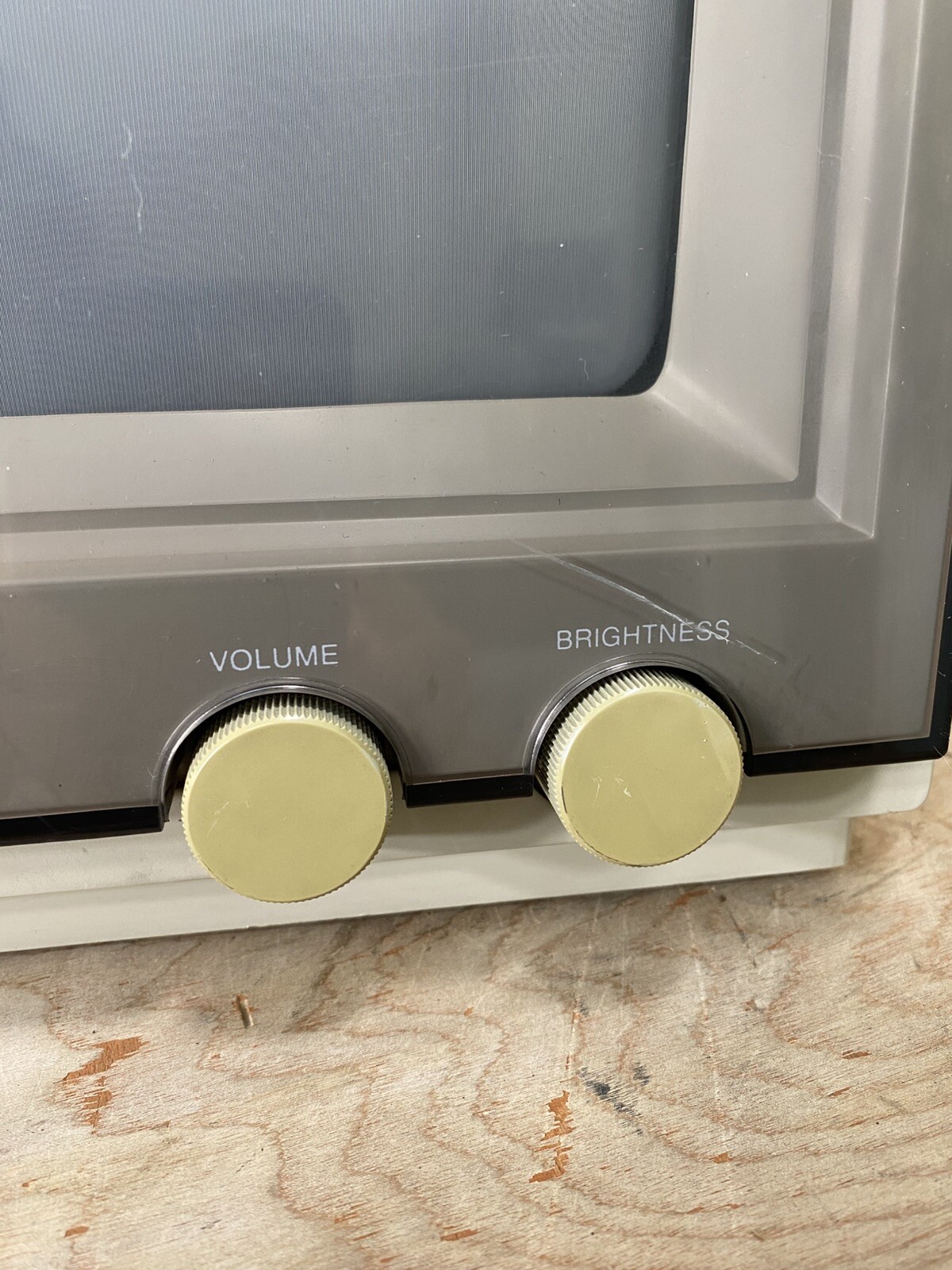
Monitors used to have easy rotary buttons to adjust brightness and contrast. Though I don’t remember it actually being necessary that often. Of course, the monitors rarely changed location.
In assuming you are not using your keyboard to set brightness because it’s an external display plugged into a laptop? Search for a DDC application for your desktop, it’s amazing, the brightness controls of your laptop will then control the external display as well. I use lunar on my MacBook, it was a revelation.
According to my (limited) testing, you can only control brightness when the transfer function used on the HDR content you see is HLG. When it is PQ, the luminance seems to be “absolute” and ignores the display’s brightness settings.
I use both auto (when available) and manual brightness adjustments, and the environment in which I do most of my computing gets ample natural light.
The problem persists, however, because as the linked posts notes light mode is far brighter than it used to be, and now if I crank brightness down low enough to feel comfortable I'm sacrificing contrast and color vividness to such a degree that (for me) it's actively distracting. So, dark mode on high brightness it is.
For code editing, I've always tended towards dark themes ever since they became readily available in IDEs in the late 2000s simply because syntax coloration "pops" so much more strongly than is possible with a light theme. When I use a light theme for code editing it feels almost like staring at a sheet of undifferentiated text in comparison.
Feels like a difference in mental structures. Without robust syntax coloring, parsing code is considerably more difficult for me. In more human terms it feels kind of like trying to communicate without being able to use adjectives or something.
This is a pretty awful post, the problem is his example uses a horrible syntax highlighting scheme that makes use of far too few colours and no other text decorations.
In a competent highlighting scheme, you have enough differentiation that every distinct type of thing indeed has a different way it pops.
You don’t see a for loop? Or don’t know where is the variable and where is the method? The list goes on. Never in my life I need a color to differentiate between a class name and a variable (they already differ in first-letter case). Or between language keyword and a variable (I’m not 5, I know those keywords by heart).
There is a reason we use nouns for variables, verbs for methods, stuff like isReady or hasAccess for booleans and what have you.
Color is overrated (or rather very nice for stuff that matters: like comments).
I like cursive though to highlight variables that are assigned more than once (bold cursive if it is a parameter, god forbid): instant attention to what is usually a code-smell.
Code can be read without any syntax highlighting or text decoration, obviously. But adding those things is an additional information stream that makes processing faster and more reliable (redundancy in general has this effect).
As you said, it is especially useful for making certain code smells instantly visible at a glance.
I also find that different kinds of code will get different "color rhythms" (e.g. low-level algorithmic code vs. high-level code that calls a lot of functions vs. code that does a lot of operations / mutation of object or class properties) when syntax highlighting is properly semantic. This makes scanning for certain types of things (where objects are being mutated, where variables are introduced, etc) extremely fast, since you don't even need to read the characters.
I also find that rich syntax highlighting makes the codebase easier to remember, since the color (along with things like the line-lengths) gives each function a sort of unique visual texture.
Of course, all of this is personal preference. I am a very visual thinker so this kind of stuff helps a lot for me. Some people are far more verbal in their mental imagery or may remember code chunks solely based on semantics. Then, obviously, a bunch of color and/or text decorations might not matter much, or even just be a distraction.
In my usage, the coloring allows my eyes to “snap” to relevant chunks of code and restrict scanning to the bounds of those chunks.
Functionally it seems similar to spatial memory where landmarks are used as navigation shorthand and is impaired in circumstances where everything looks the same (e.g. in one of those sprawling suburbs with 100 of the same house).
I remember colors better than I remember names. It's a difference in how I process text, and for code where there's already 'types' of syntax, colors help differentiate between all those. It's not that I can't find the for loop, it's just that visually it becomes more distinct to me if all loops are a certain color. And class names are a certain color. And those colors tend to stand out better on a dark background than a light one. Reading light themes, or even unthemed code just feels like an additional chore that's solved pretty simply by using a dark theme.
No one needs it, but it's nice to have. It's the difference between being partially or fully colorblind or not being so, in terms of being able to distinguish parts of the codebase more easily. That is what the parent means by "easier to parse code."
> I like cursive though to highlight variables that are assigned more than once
Exactly, everyone is different, as personally I'd hate cursive and ligatures. Think of it as, what works for you doesn't work for everyone, and what works for them (color) doesn't work for you. But let people have their preferences.
Agreed, they should be using color schemes that are TreeSitter compatible so for example "React" and "window.React" are not the exact same color, as they are semantically two different things.
99% of vscode themes are like the one he showed. IMO, the best themes do typically have minimal/functional highlights, which results in more text that is the base color.
I'd need a citation for that statistic, and I'd also need to see which themes are actually used.
> IMO, the best themes do typically have minimal/functional highlights, which results in more text that is the base color
And IMO, those are the worst themes.
These things are just preferences, but it is an objective fact that a good highlighting scheme makes certain information immediately visible, without requiring the reader to parse the actual characters. Whether or not this information is something you find helpful or annoying depends on your processing styles and preferences.
Seconding this, light themes cripple syntax highlighting, which in turn makes it far more annoying to quickly scan through code and glean structure. You can make up for this to some degree with text decorations, but, well, with dark schemes you have that too.
I have about 1500 lines in my VSCode settings.json dedicated to custom syntax highlighting and text decorations (this could be trimmed, some is from before the days of semantic highlighting), but regardless, the amount of differentiation I can achieve with this is simply not possible on a light background. I've tried! (Solarized light is a nice theme though)
> I’ve never met a person saying they hate books and wish they were white on black.
I've never seen a book actually radiate its own light. Perhaps if there had been 600+ sq. inch self illuminating books, we might have invented dark mode long ago.
During the early days of CRTs, dark mode was the norm. VT50/100/220, 3270 etc. were almost always dark with illuminated characters, and even when not, they were only ~12-14" diagonal, and there was only one. Most PC/DOS machines were the same. The moment raster displays appeared, everything went "light mode," but they still weren't very large. Then, displays got huge and multiplied, easily able to overwhelm human eyes with excessive power.
The ~30-year detour into Apple/Microsoft's paper-mimicry is ending due to basic ergonomics. No need for your tut-tutting.
Books reflect ambient light. Monitor brightness should be set to a similar light level. You can hold a book next to the display and adjust accordingly.
I can count on one hand the number of monitors I've seen with auto brightness. The number of monitors with acceptable and non distracting auto brightness is zero.
I mean, if you have a modern digital display you might be able to change the brightness through the DDC/CI protocol and a simple app or extension, available in every much every OS. With a keyboard shortcut or two clicks you change it. Fiddle with monitor settings is painful, but that protocol is a godsend. Even one of my cheapest 13 years old monitor supports it.
> I've never seen a book actually radiate its own light.
Plenty of ebooks with built-in illumination, you know.
> During the early days of CRTs, dark mode was the norm.
Yes, because they were physically unable to do anything else! A pixel could be either 100% off (black) or 100% on - and if you were unlucky the "on" was something obnoxious like bright green. The fact that basically everyone switched to light mode once it became feasible should be a hint that it wasn't just a designer fad.
> easily able to overwhelm human eyes with excessive power
The sun is orders of magnitudes brighter - even when it isn't a blue-sky day. Human eyes evolved to deal with that without any issues (that's why your pupils can vary in size), so a desktop monitor shouldn't be a problem.
The problem is contrast. If you sit in a dark room with your monitor turned to 100% brightness and you're using a light theme of course your eyes are going to hurt. It's the same with those obnoxiously bright headlights we're seeing on cars these days! Sure, you could use dark mode, but the problem can also be solved by making sure the room is properly lit, or turning down the monitor's brightness. No need to pretend dark mode is a one-size-fits-all must-have solution for "ergonomics".
The same applies the other way as well, by the way: in my experience dark mode becomes completely unreadable in a brightly-lit environment - especially on glossy screens. You're constantly dealing with annoying reflections hiding your content.
Personally I've grown fond of the way MacOS and Android handle it: automatically switch to light mode while the sun is up, use dark mode during the night. It's not perfect in every situation, but 99% of the time it gets me what I want.
> Plenty of ebooks with built-in illumination, you know.
If your screen has built-in illumination then you might want to use a white-on-black theme. Mostly everything supports it, txt readers, epub readers, pdf readers (pdf.js not yet, but other pdf readers).
It's probably also because a lot of people sit in rooms which are poorly lit. Part of it is probably because it's really hard to establish proper lighting with modern LEDs. This is anecdotal, but our lamps haven't really changed in the way they are designed, We now have six lamps where we had three before, and there is still "less" light in our living room because LED's create and emit light differently.
I usually work with darkmode at home, and light mode in the office because our office is basically the surface of the sun.
I'm writing this comment at night, on my phone with its absolute lowest brightness; it is still too bright.
Maybe, just maybe, people aren't "holding it wrong"
Unlike screens produced light. To make them the same brightness as ambient would make them unreadable in my current situation. Yet a black background is much more pleasant. Why? Because the light being produced is less. You're right that the contrast matters. Black background and white text gets us closer to ambient light level while providing contrast. You simply cannot do same with black text on white background. I mean go to a dark room, put down the phone and ask yourself what the natural background is. It's black. That's the ambient level
Night Filter is an easy-to-use screen filter app for your Android device. Adjust brightness and colour, set up schedules, and reduce eye strain for comfortable night-time reading. [1]
No, it isn't. Making your entire screen dark for all content isn't a solution for a dumb GUI color scheme.
"Back in the day, light mode wasn’t called “light mode”. It was just the way that computers were, we didn’t really think about turning everything light or dark. Sure, some applications were often dark (photo editors, IDEs, terminals) but everything else was light, and that was fine."
Several incorrect statements there. "Back in the day," computers displayed white text on a dark background (usually a blue background) out of the box. This was deemed the most legible. The opposite was called "inverse." The Atari 8-bit and Commodore 64 computers (and possibly others) even had dedicated keys that toggled between regular and inverse text; it is called that in the manual.
Word even had a checkbox option in it entitled "Blue background, white text." It wasn't removed until 2007, concurrent with lots of other UI regressions in Windows. Microsoft also removed the color-scheme editor from Windows, with which people had been able to set up global color schemes (including "dark" ones) since 1991.
When people finally realized how dumb it is to read dark text off the surface of a glaring light bulb all day, companies had to run around slapping hard-coded "dark modes" onto everything... after abandoning better solutions (user-defined system-wide color schemes) that had existed since the early '90s on every platform except the vaunted Mac.
So how did we end up suffering through decades of inverse GUIs? I've always attributed it to
1. The "desktop publishing" fad of the late '80s / early '90s, which sought to make the screen analogous to a piece of paper.
2. The Mac, which imitated Xerox's GUI, which was inverse. Possibly related to #1.
3. Windows defaulting to an inverse scheme (although it provided a way to easily change the global scheme), as it imitated the Mac.
> after abandoning better solutions (user-defined system-wide color schemes) that had existed since the early '90s on every platform except the vaunted Mac
Even classic Mac OS (pre OS X) had thousands of third party themes via the very popular extension Kaleidoscope and later the built in Appearance Manager. Kaleidoscope schemes especially ran the gamut, with looks ranging from cloning other OSes to green on black “Hollywood hacker” to Star Trek LCARS to shiny chrome to a pair of blue jeans. A great number of those themes were dark.
The loss of user control over appearance like that is tragic.
>"Back in the day," computers displayed white text on a dark background (usually a blue background) out of the box. This was deemed the most legible.
That just prevented CRT degradation and it had less ghosting and flickering, especially as most CRTs in the home computer era were just terrible home TVs, and CRTs in the mainframe era were equally terrible. The saturated blue background was absolutely insufferable and I had ghosting and shifted color perception for minutes after using NC and Borland software for a long time. I loathe it till this day, just like garish CGA colors which were an assault on my eyes.
80's and 90's had a general concept of a desktop with windows as paper documents, because the first real use case for personal computers and workstations was assisting office jobs.
Funny how you call the normal light scheme inverted. IIRC PC text/graphics modes used this term for dark backgrounds.
It was not a screen-saver. Less ghosting? Most likely. But the fact remains that reading text off of a light bulb blasting in your face all day sucks, and once upon a time people knew that... but "forgot" it when vendors shoved inverse color schemes on them by default.
"80's and 90's had a general concept of a desktop with windows as paper documents"
Yes, I noted that; but the analogy to a piece of paper fails because paper does not EMIT light.
Everyone with sufficient computing experience calls "light" schemes inverted. This was even documented in instruction manuals from the early PC era: https://imgur.com/a/aLV8tn0
Anyone experienced remembers that any 60Hz CRT is a flickering mess, especially computer monitors that used shorter-lived phosphors, and any old TV had terrible burn-in. That's why you want to reduce the amount of bright pixels on it. That's not a legibility thing.
A display is not a light bulb if you aren't specifically making it a light bulb against the poorly lit environment. There's no difference between reflected and emitted light, what you actually need is much better lighting in the room, so your display doesn't stand out when used on a brightness level that provides sufficient contrast (and just because working in a poorly lit room is unhealthy).
Moreover, a light scheme in a well-lit environment is less eye-straining, because your pupils contract and adapt to the light. If you're using a dark display against a dark background, your eyes adapt to the dark and then you're hit with the bright text. If you want to display more than just text, dark mode becomes a problem because most of the content (e.g. pictures, videos) is not largely dark.
tl;dr avoid excessive contrast and flickering. Everything else is individual eyesight differences, opinions, and snake oil.
> I don’t see people complaining “I hate listening to most music because my headphones are always at 90% volume
Volume and loudness are different things (https://en.wikipedia.org/wiki/Loudness_war) and pervasive loudness is absolutely a thing. Just turning down the volume doesn’t fix dynamic range compression.
We also apply multiple kinds of normalisation to audio tracks to have them play at the appropriate level for their use case; so that the user doesn't have to adjust the volume when the TV switches from showing a war film, a panel show, a news program, a music channel, and a nature documentary - each is played with appropriate settings pre-baked relative to the others.
I’m personally a high fan of light mode, and rarely use dark mode. That being said, the comparison with paper isn’t very apt. LCDs produce their own light, and OLEDS exacerbate the difference by only emitting light for the background, and none for the text. It’s very different from using ambient reflected light.
If you take a non backlight e-ink display and put it next to a light mode OLED with the same brightness as the environment, the difference is (slight pun intended) night and day. There’s no configuration possible on my phone to make it more legible than a book it sits next to in low light conditions.
Also after years of having light mode only Phrasing, I recently added a dark mode. Not to look cool in dark mode, but because it’s often the first thing I use in the morning and last think I use at night. After a year of minim-brightness still-squinting at the screen, it was truly remarkable the physical difference a #000 background made in the dark with an OLED screen.
> I’ve never met a person saying they hate books and wish they were white on black.
That's because paper used to print books isn't always white. Most of the books I've read this year and last year had a somewhat yellow-ish tint to them (they were newly printed). I know I'm not the only person bothered by pure white paper in books.
I absolutely agree about setting brightness correctly, though. It's very usual for me to instantly reduce brightness whenever I have to use someone's computer. No idea how people use their screens so bright.
Yes, that's what's being discussed here. I'm disagreeing with the people who are defending using pure white as a background in light mode.
Pure black is more understandable, because it helps with battery life on mobile and notebooks, although I believe it shouldn't be the default dark mode.
There’s plenty of research about the fatigue and damage caused by displays, with brightness being a factor. Most displays I’ve used, at the lowest brightness, will still be fatiguing. The human eye has never been exposed to this much direct light at close quarters, lots of it being in the blue+ parts of the spectrum.
Needing light themes to offset display reflections seems like a very good case of form over function. Nano-texture Apple displays largely address that, but then they’re much more expensive. The idiocy of fashion-driven design…
Aside from the LG Ultrafine, I’ve never owned an external monitor with auto-brightness.
The pages in books are a range of colours, very few are gloss white. I've just flicked through a few on my shelf; the whitest book I have is the wiring regs and they are notably less white than my wife's artists paper. Most of my books are a kind of murky brown not too dissimilar in mental feel to the HN background.
That’s why display brightness should be set such that it is similar to how a book page would look in comparable ambient lighting. “White” isn’t a specific brightness level.
Autobrightness only works for screens which are against a wall. Your eyes care about what is behind the screen, not in front of it, and that’s one thing autobrightness never took into account.
I used to jailbreak my iPhone 4s to get some dark mode.
I think that reinforces their point if anything. With reflected light, you have a natural, inherent form of auto-brightness because the amount of light coming off the page depends on the amount of light in the room.
Books are not designed to reproduce colors though, and monitors are. If you have aggressive auto-brightness settings, that wouldn't actually make a monitor appear more like a book, it would just make it so the stuff that is actually supposed to look blisteringly white is merely mild. Which, sure, is an improvement for eye strain, but it's more of a workaround than a solution, and since it would muck up color reproduction a lot of users couldn't do this all the time anyways.



But that’s not what Loom is about.
It’s about streaming the video.
Before:
Capture something with likes of quicktime.
Transcode it so that it doesn’t take a few gigabytes. This takes considerable time and resources (though OBS can do it while recording, not after).
Upload somewhere to share. Wait while it is uploading.
Loom takes care of all those steps so when you press stop you can immediately share the link with someone.
—
Hope other use-cases in the article are not as misrepresented as this one
reply